Settings
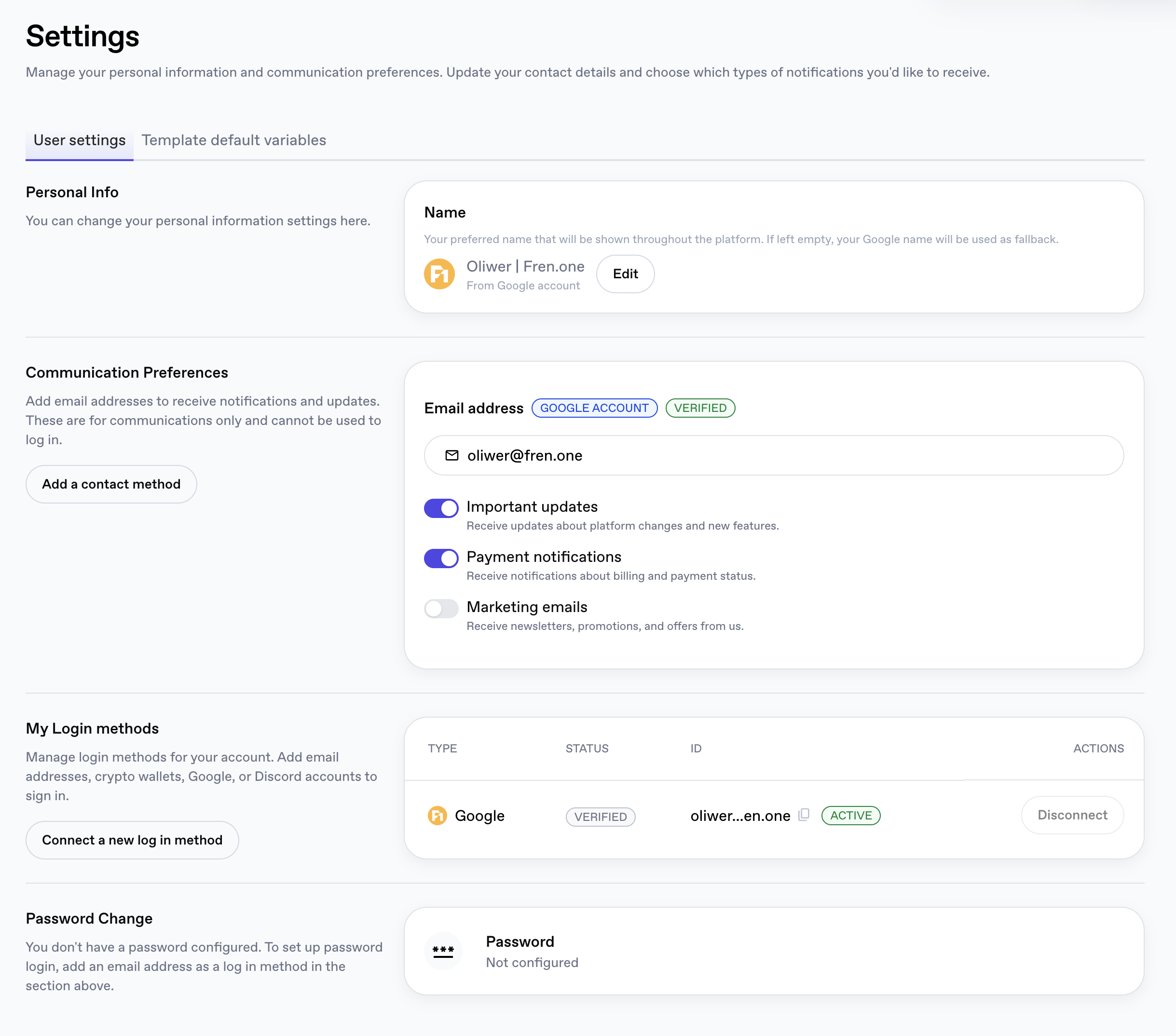
The Settings page is where you manage your personal information, communication preferences, and the login methods attached to your account.
The page has two tabs:
- User settings: personal info, communication preferences, login methods, and password.
- Template default variables: saved variables reused across VM deployments.
User settings
Personal Info
Set the Name that ASI:Cloud displays throughout the platform.
- If you leave this field empty, the name from the identity you signed up with (e.g. your Google account) is used as a fallback.
- The current source of the displayed name is annotated under the value (for example, From Google account).
- Click Edit to change it.
Communication Preferences
Add email addresses that should receive notifications and platform updates.
Email addresses added here are for communications only; they cannot be used to sign in. To add an email as a login method, use My Login methods further down the page instead.
For each email address you can see badges describing where it came from and whether it has been confirmed, for example:
- GOOGLE ACCOUNT: pulled from your Google identity.
- VERIFIED: the address has been confirmed.
Click Add a contact method to register additional email addresses.
You can independently toggle the following notification categories:
| Toggle | What it controls |
|---|---|
| Important updates | Updates about VMs deployment, platform changes and new features. |
| Payment notifications | Billing and payment status alerts. |
| Marketing emails | Newsletters, promotions, and offers. |
My Login methods
Manage the identities that can be used to sign in to your ASI:Cloud account. You can add email addresses, crypto wallets, Google, or Discord accounts, and use any of them interchangeably to access the same account.
The table on the right lists every connected login method with the following columns:
| Column | Description |
|---|---|
| Type | The provider (Google, Discord, MetaMask, ASI Wallet, Keplr, Email). |
| Status | Whether the identity is verified. |
| ID | The email or wallet address used by that method. |
| Actions | Disconnect to remove the method, when more than one is connected. |
Adding a new login method
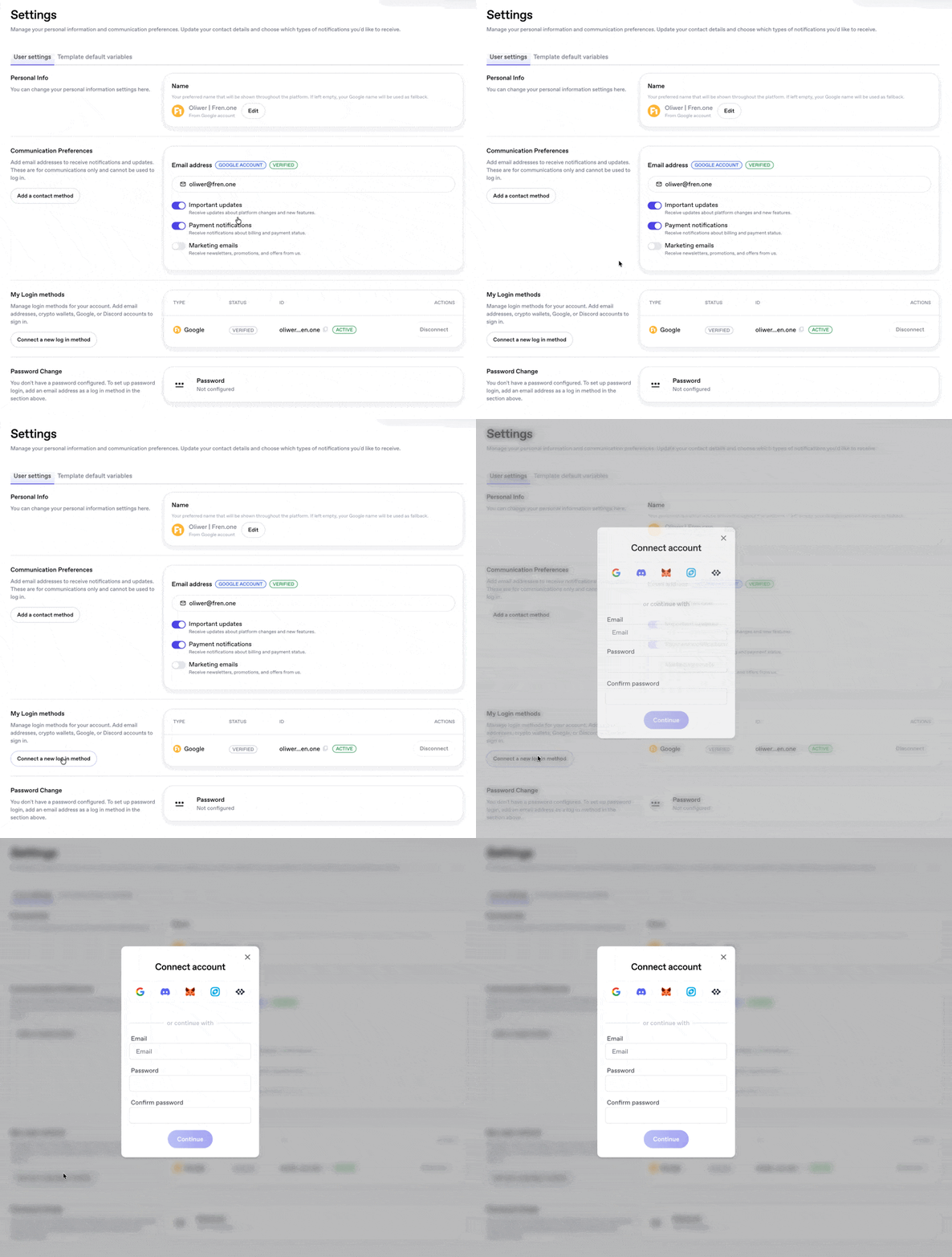
Click Connect a new log in method to open the Connect account dialog. From there you can pick:
- Discord
- MetaMask
- ASI Wallet
- Keplr
…or scroll down to continue with email by entering an Email, Password and Confirm password, then clicking Continue.
If you originally signed in with Google (or another social/wallet provider), you can link extra login methods here, for example, adding email + password as a second way to access the same account. The new method works alongside the existing one; both will sign you in to the same account.
Password Change
Whether this section is shown depends on how you signed up:
- Signed up with a wallet, Google, or Discord only: your account does not have a password and the section will read "You don't have a password configured. To set up password login, add an email address as a log in method in the section above." Add an email login method first to enable password sign-in.
- Signed up (or linked) with email + password: the section lets you change your password using the standard old / new / confirm flow.
You always remain signed in via your original method even after adding a password. Password login is just an additional option, not a replacement.
Template default variables
Switch to the Template default variables tab to store variables reused across VM deployments, so you don't have to re-enter them every time you deploy a new machine. Common examples include API keys (e.g. a Hugging Face token) and other reusable secrets.